
More U.S. job seekers are applying for positions in the same way they shop for products and services online — through their mobile device. With the increased demand, the process of how users apply for jobs must go smoothly. Some job seeking apps, like LinkedIn, provide a feature of applying to jobs directly through the app, which makes the application process far more convenient and fast compared to the traditional application.
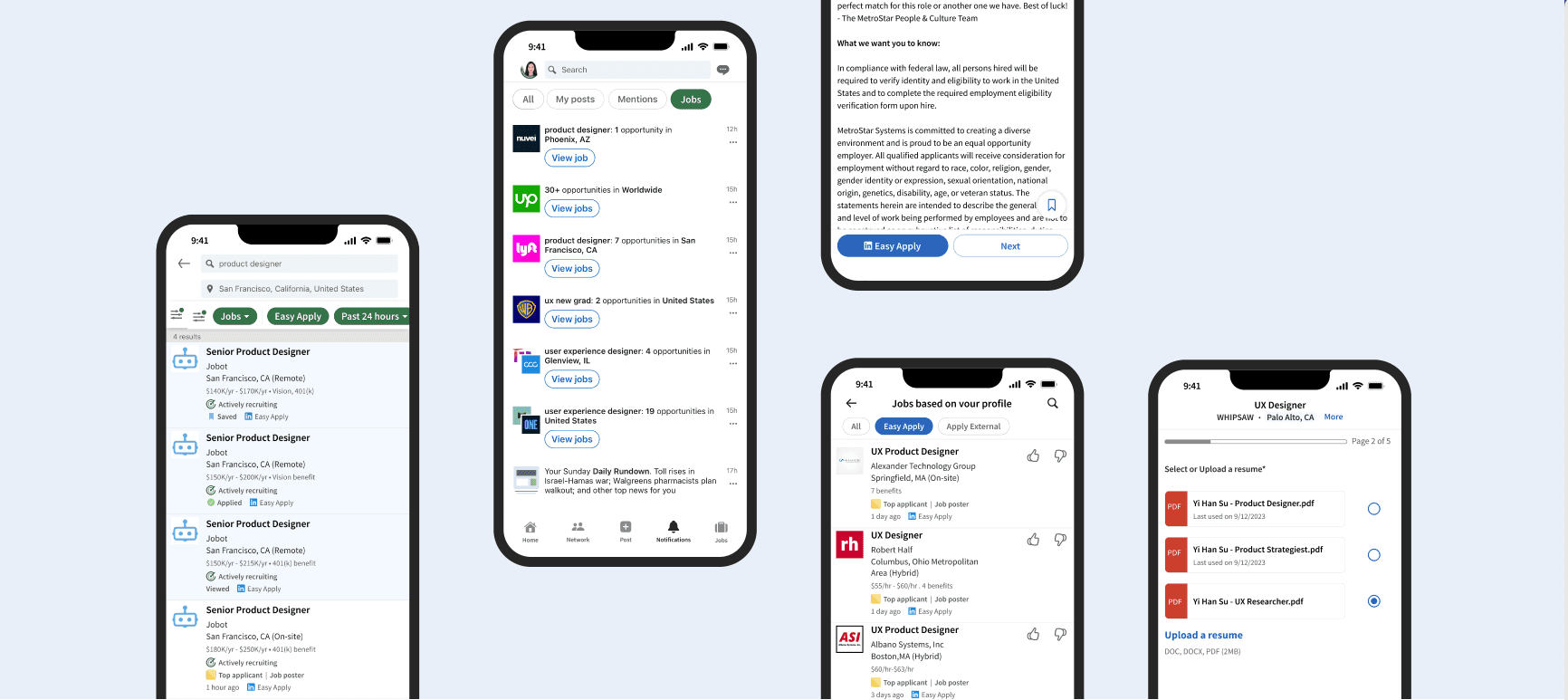
As a LinkedIn app user, I often feel frustrated, which motivated me to redesign part of the product that I mainly see a lot of friction. This project is self-initiated— I redesigned the end-to-end shopping Easy Apply flow, filter for Notifications and Jobs pages, which resulted in a more intuitive user experience.
Objective
Reinvent the LinkedIn Easy Apply Flow
My Roles
UX Researcher & Designer
Market Shift: Job Seeking Going to Mobile
Mobile Dominance
of job applications via mobile devices
were completed during 2021, according to a report by Appcast. (source: recruitingdaily.com)
Desktop Decline
decrease in desktop application rates
from 2020 to 2021, according to 2022 Recruitment Marketing Benchmark Report (source: hcmtechnologyreport.com)
App Rankings
in iOS store search for the keyword "job" and "apply job."
has consistently been bringing in more new U.S. app installs than LinkedIn since March 2018. According to Apptopia Search Intelligence
User Feedback: Easy Apply is useful but not user-friendly enough
Premium members: Easy Apply is useful but not user-friendly enough
This sentiment is based on feedback from 17 out of 42 participants in a survey I conducted in September 2023.
Potential Impact of the Redesign: Elevating Business Value and User Engagement

For Employers (B2B)
Increase the applicant pool
Reducing 10% application time can increase the applicant pool by 2.3% on mobile.

For Job Applicants (B2C)
Efficiency
The chance to apply for more jobs in a shorter time span.

For LinkedIn
Competitive Edge
Indeed has consistently been bringing in more new U.S. app installs than LinkedIn since March 2018.
Job Seekers' Common Sense: Apply Sooner and More
To ensure an unbiased approach, I engaged with 5 diverse job seekers to comprehend standard job hunting and application patterns. Participants:
Recruiter
Product Manager
Software Engineer
Middle School Teacher
Senior Designer
Key Takeaways:

Time is Crucial
The sooner, the better

Number Matters
More application, more chances
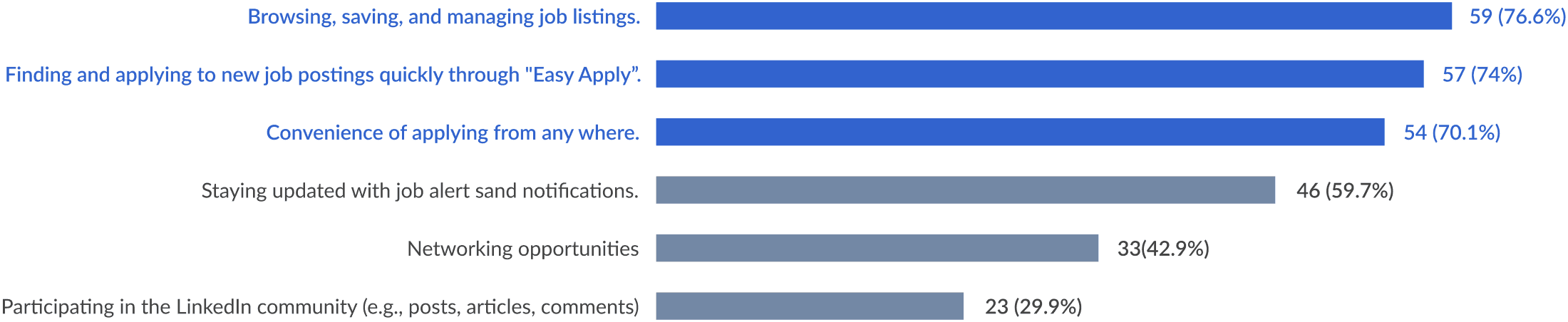
LinkedIn App Users' Primary Objective: Job Hunt and Application
I conducted an online survey with 87 participants. With it, I learnt users' goals:
What are your primary goals when using the LinkedIn mobile app?
Challenge: How Might We Streamline Job Applications for Users?
Efficient
Expedite the application process.

Intuitive
Prioritize user-centric and intuitive navigation.

Flexible
Include vital info and options tailored to various use cases.
Interview, Survey and Insights
User Interviews: Conducted online 1:1 interviews with LinkedIn Premium members who have utilized Easy Apply. Interviewees comprised:
1 Technical Program Manager
1 Divisional Vice President
1 Customer Success Manager
Online Survey: Gathered 87 responses to validate the findings from user interviews, pinpointing users' needs and pain points.
Data Synthesis: Processed the raw data from both interviews and surveys, categorizing them into three core themes:
Access
Process
Finish/Quit
This method illuminated specific user challenges and trends, offering a clear framework for deriving insights and guiding actionable recommendations.
Phase 1: Access
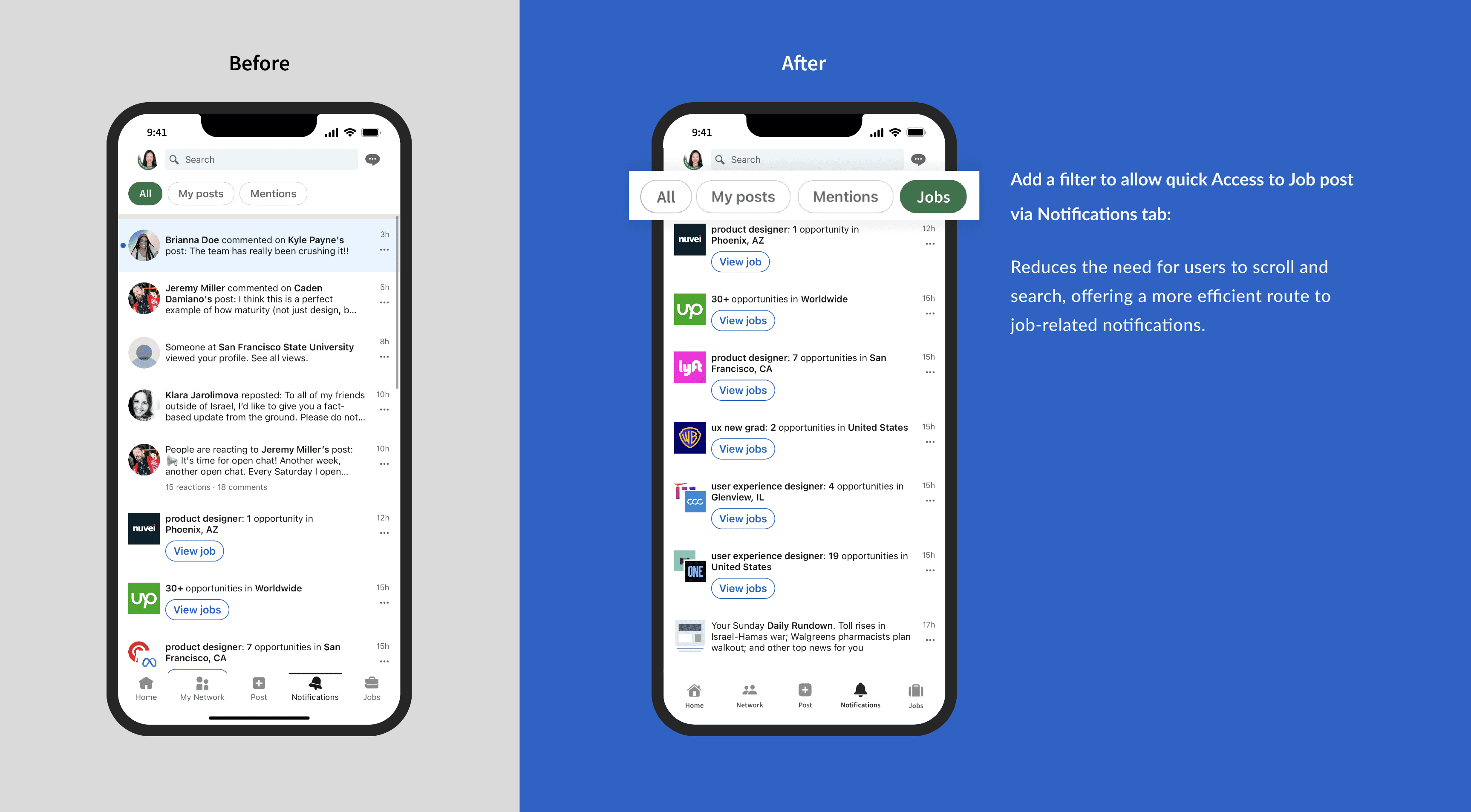
Insight #1 Users need quick access to job alerts in Notifications and prefer clarity over clutter.
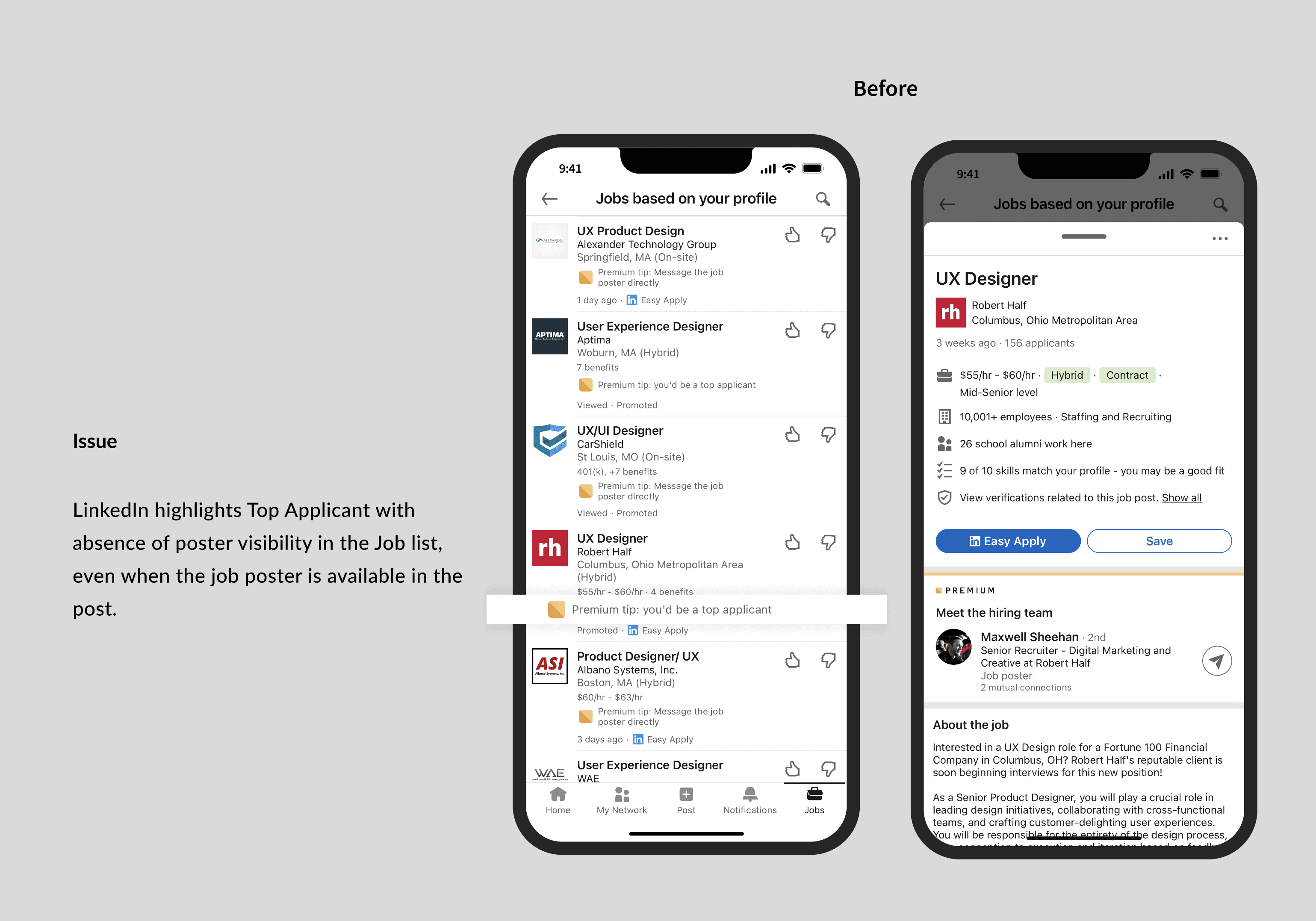
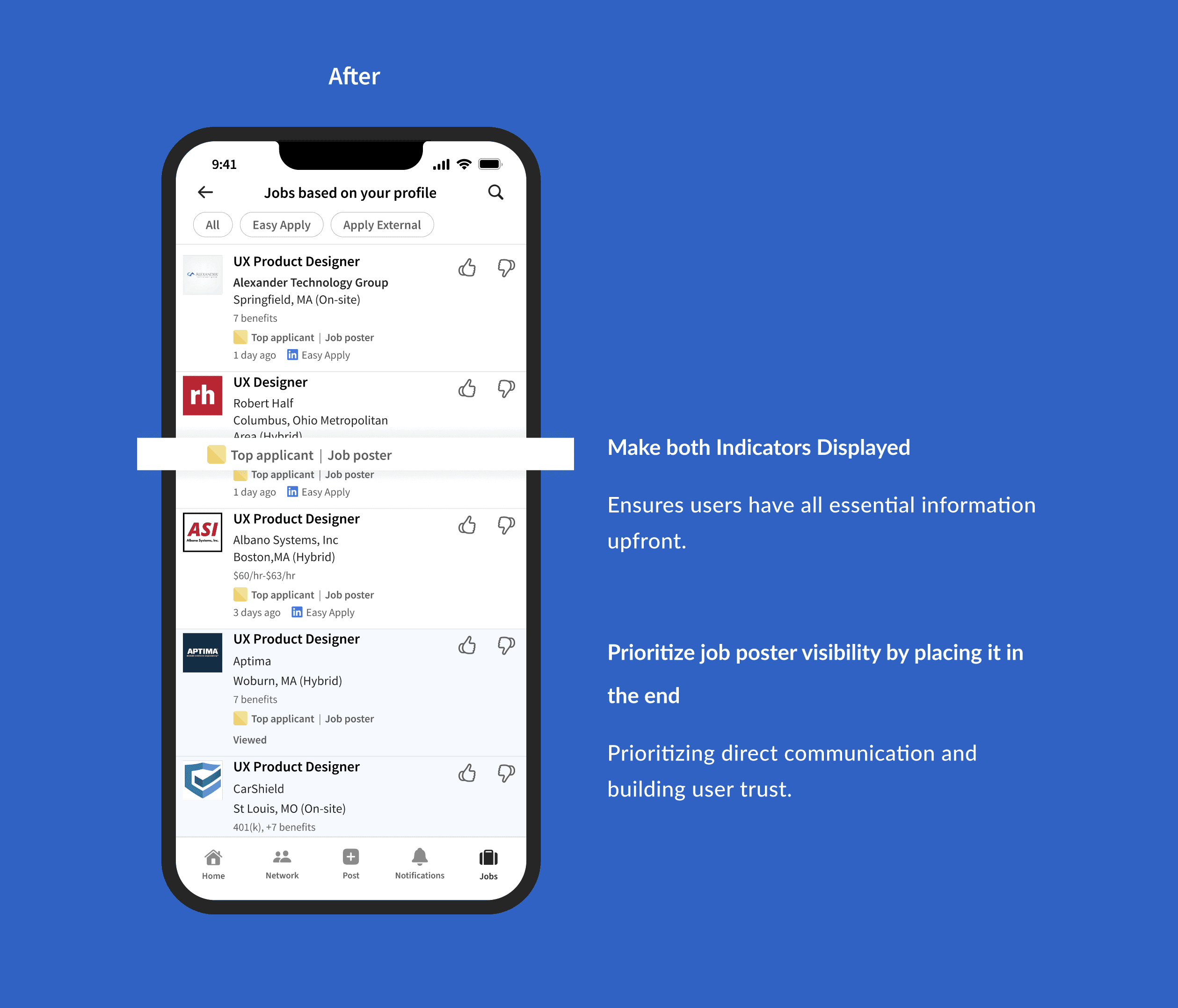
Insight #2 Users doubt about 'Easy Apply' Effectiveness. They want clear communication about their application
When you access job alerts via the 'Notifications' tab on LinkedIn, which of the following statements resonate with your experience?
58.4%
The 'Notifications' tab has too many non-job-related alerts.
58.4%
I often miss or overlook job-related notifications because of other messages.
40.3%
I found job-related updates are more timely than those in the Jobs tab.
Michael
Technical Program Manager
I often resort to manual searches on LinkedIn to find jobs that align with my criteria, as the recommendations don't always hit the mark.
Michael
Technical Program Manager
While I appreciate the simplicity of the 'Easy Apply' feature, it leaves me wondering if my applications truly reach the HR departments. Usually, I prefer to talk to people, like the HR.
Kate
Divisional Vice President
Being both an employer and a job seeker, I prefer using the 'Jobs' tab rather than wading through the often cluttered notifications.
Phase 2: Process
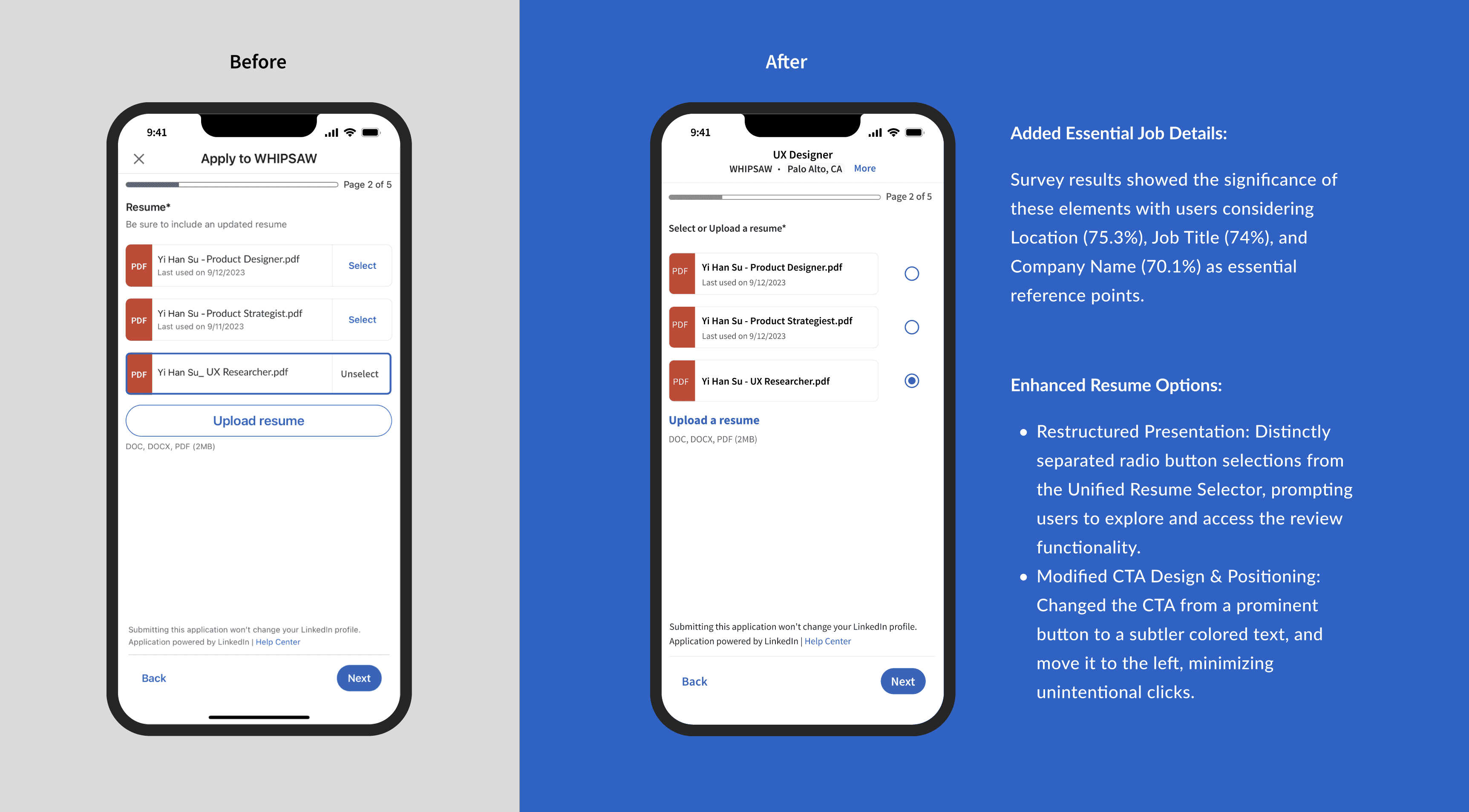
Insight #3 Users need quick access to job details even when in the middle of the application process.
During the 'Easy Apply' process on LinkedIn:
89.6%
users ever paused the application to review the job posting again and then returned to continue.
Insight #4 The 'Easy Apply' interface might benefit from clearer touch-target areas or prompts to reduce accidental interactions.
What frustrates you when using the 'Easy Apply' feature on LinkedIn's mobile app?
62.3%
accidentally tapping on "Upload a resume".
Phase 3: Finish/ Quit
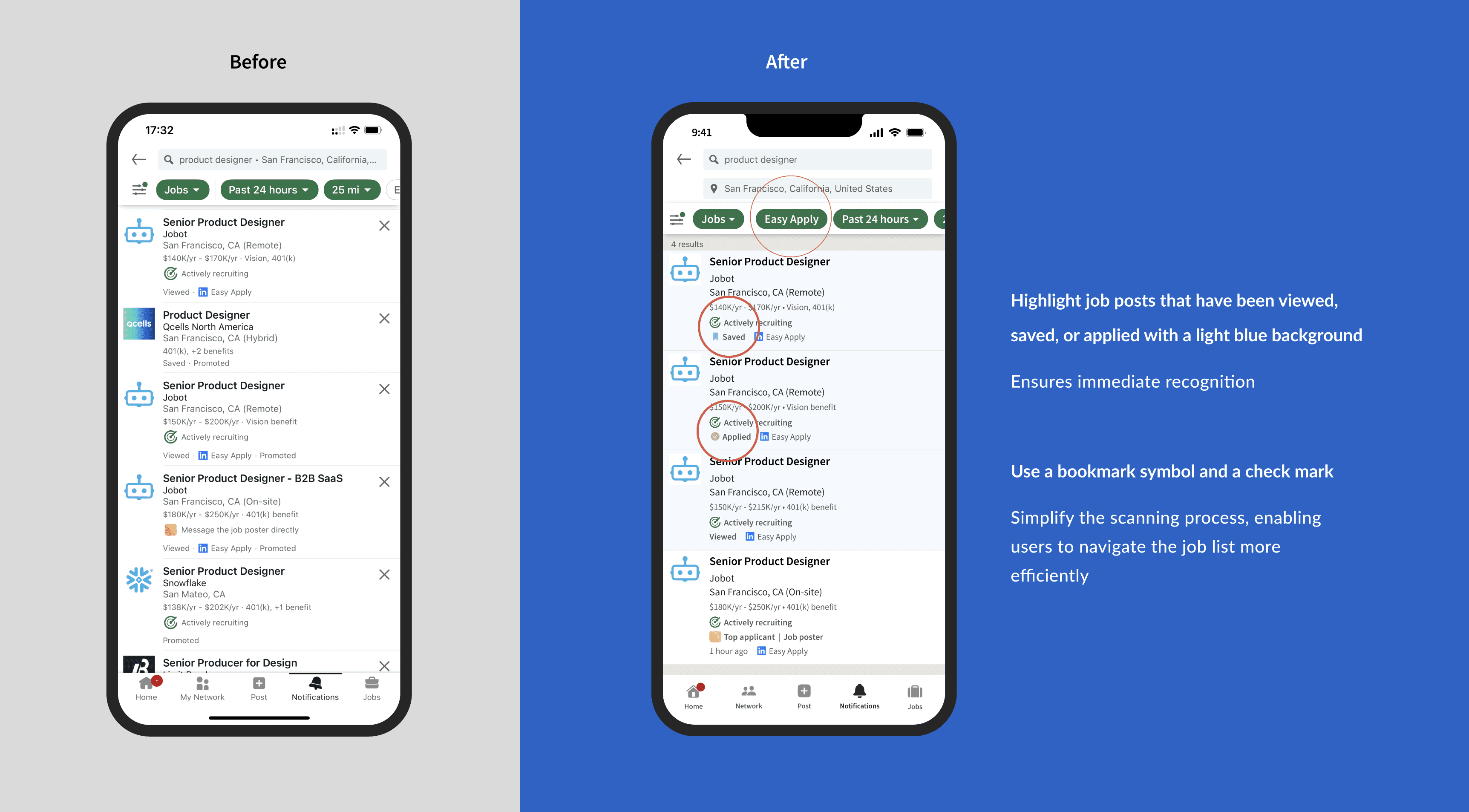
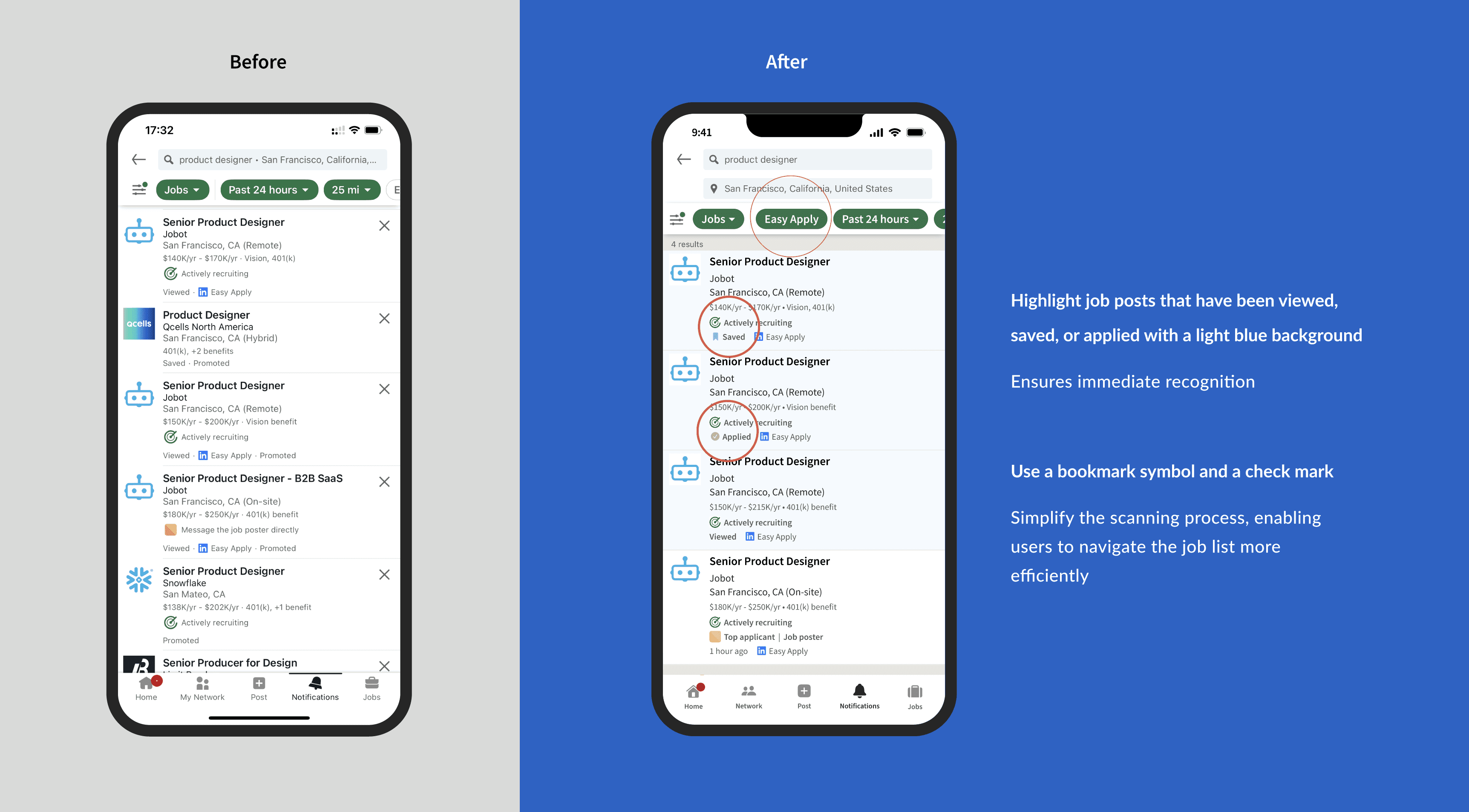
Insight #5 Users need better visual indicators or cues to help users quickly recognize viewed job posts when they return to the job list.
After viewing a job post and returning to the job list:
90.9%
users ever find it challenging to recognize the job post you just looked at if you did not apply to it.
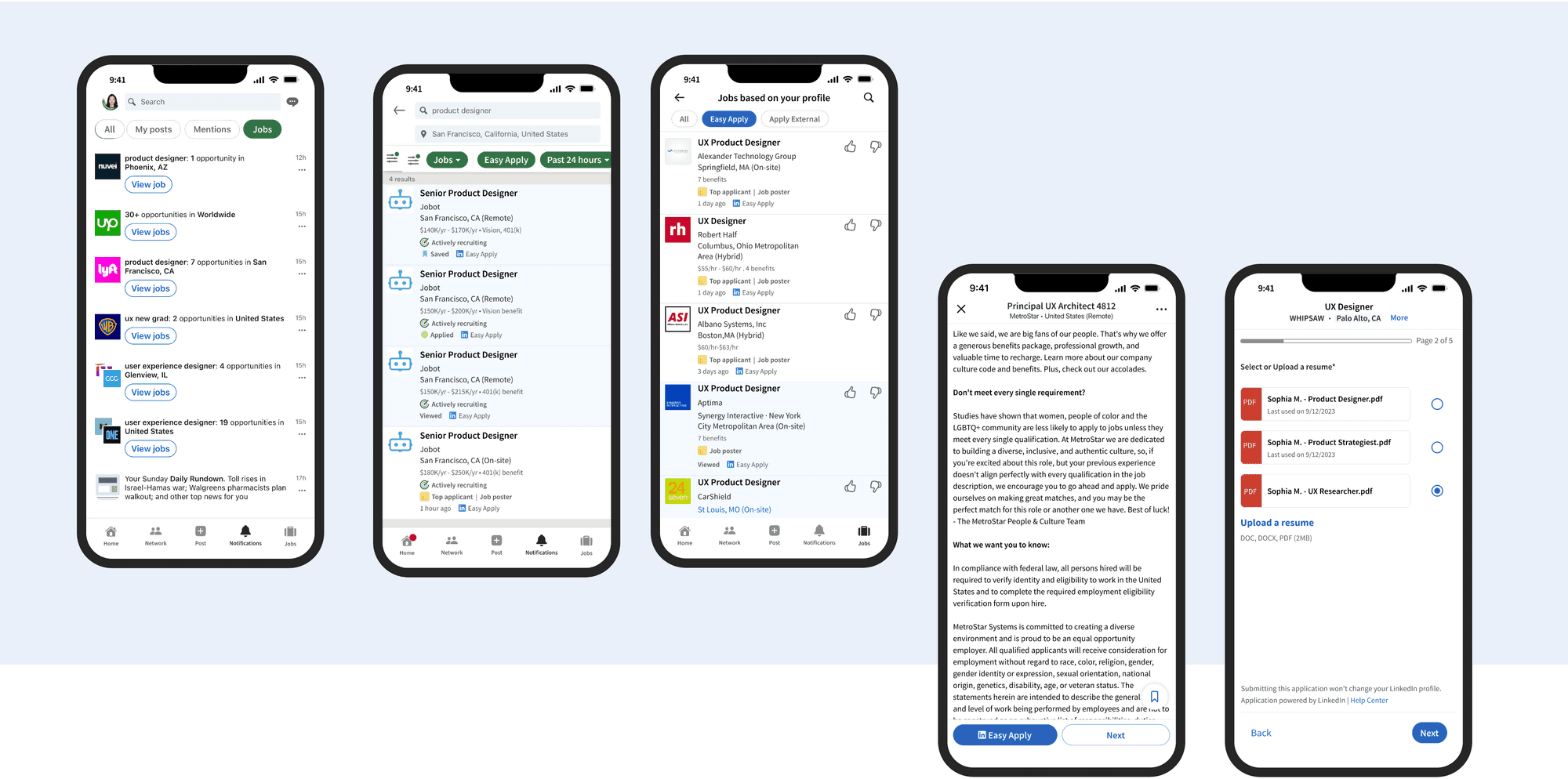
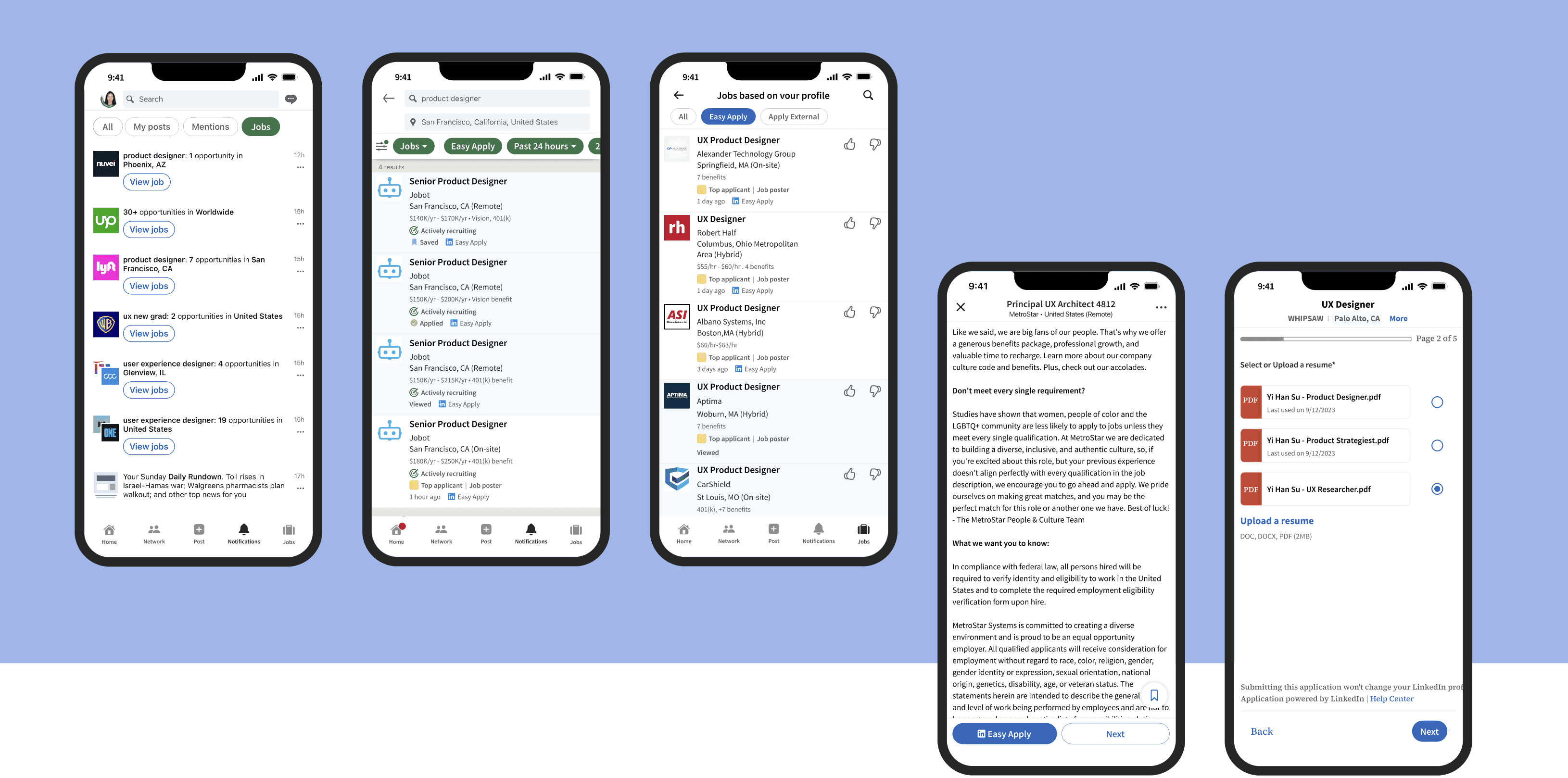
After ideation, I created solutions based on the five insights.
Insight #1 Users need quick access to job alerts in Notifications and prefer clarity over clutter.
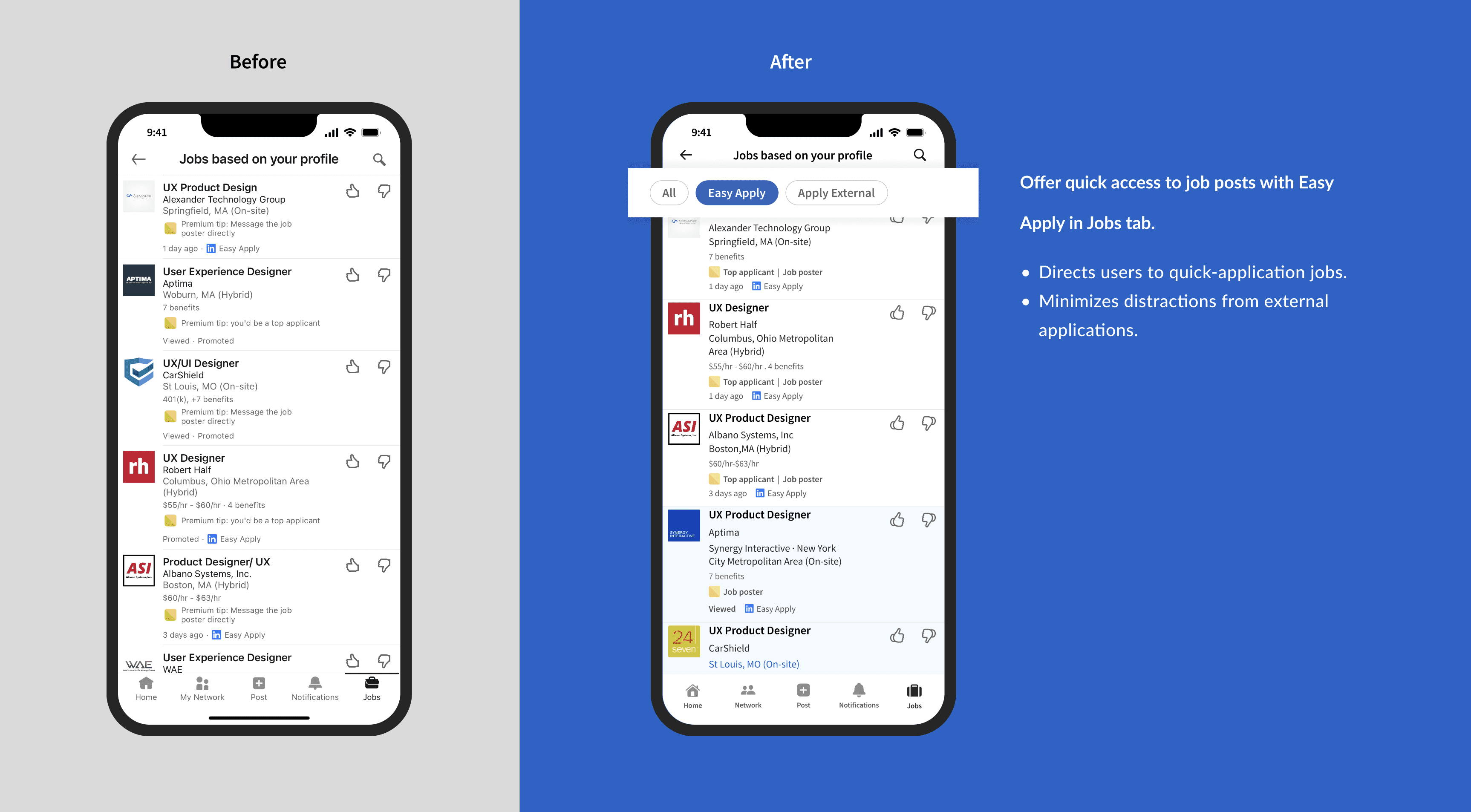
Mobile-Optimized Job Navigation
Introduce filters to leverage the mobile app's advantage of accessing job opportunities anytime, anywhere.

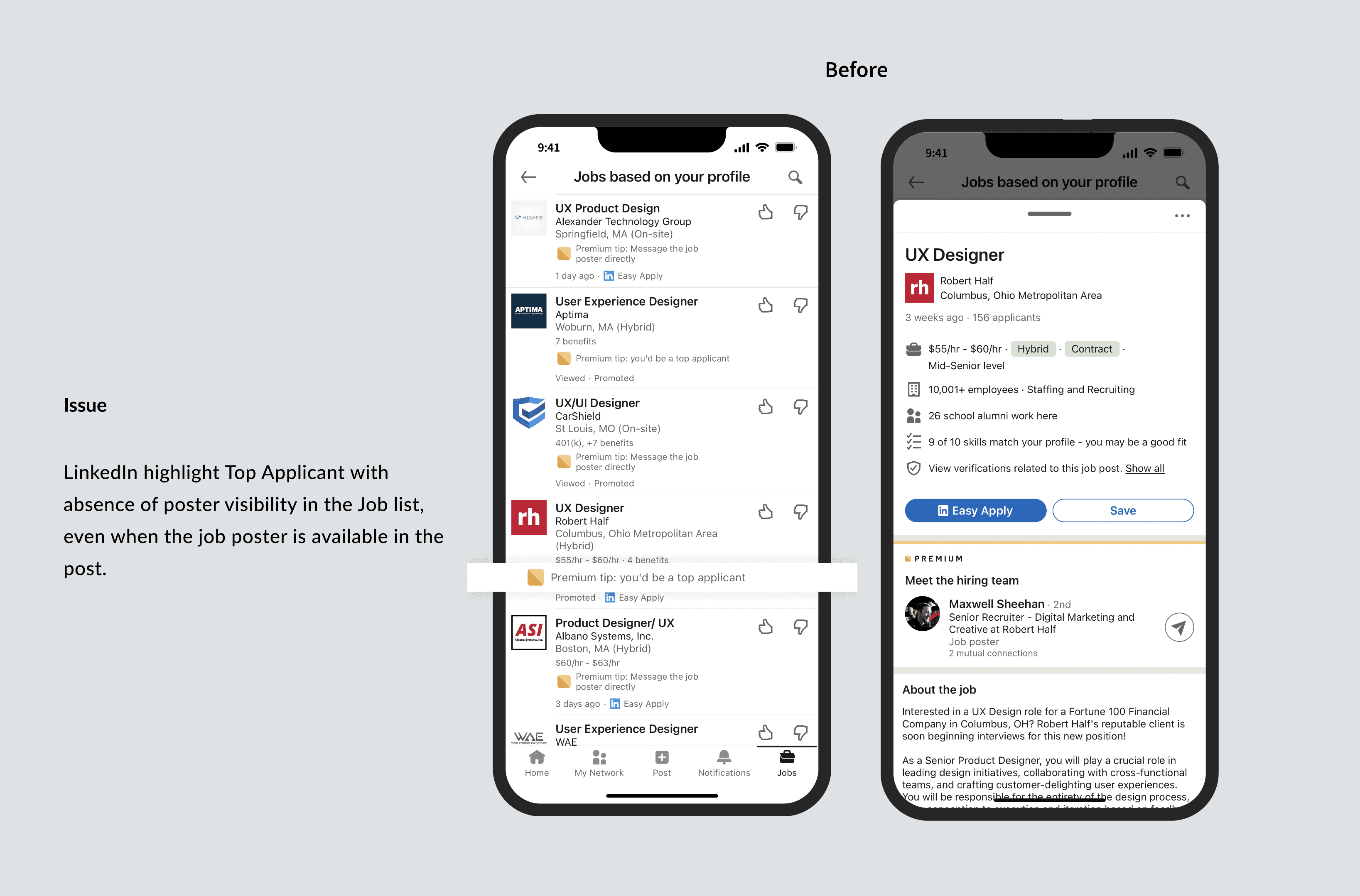
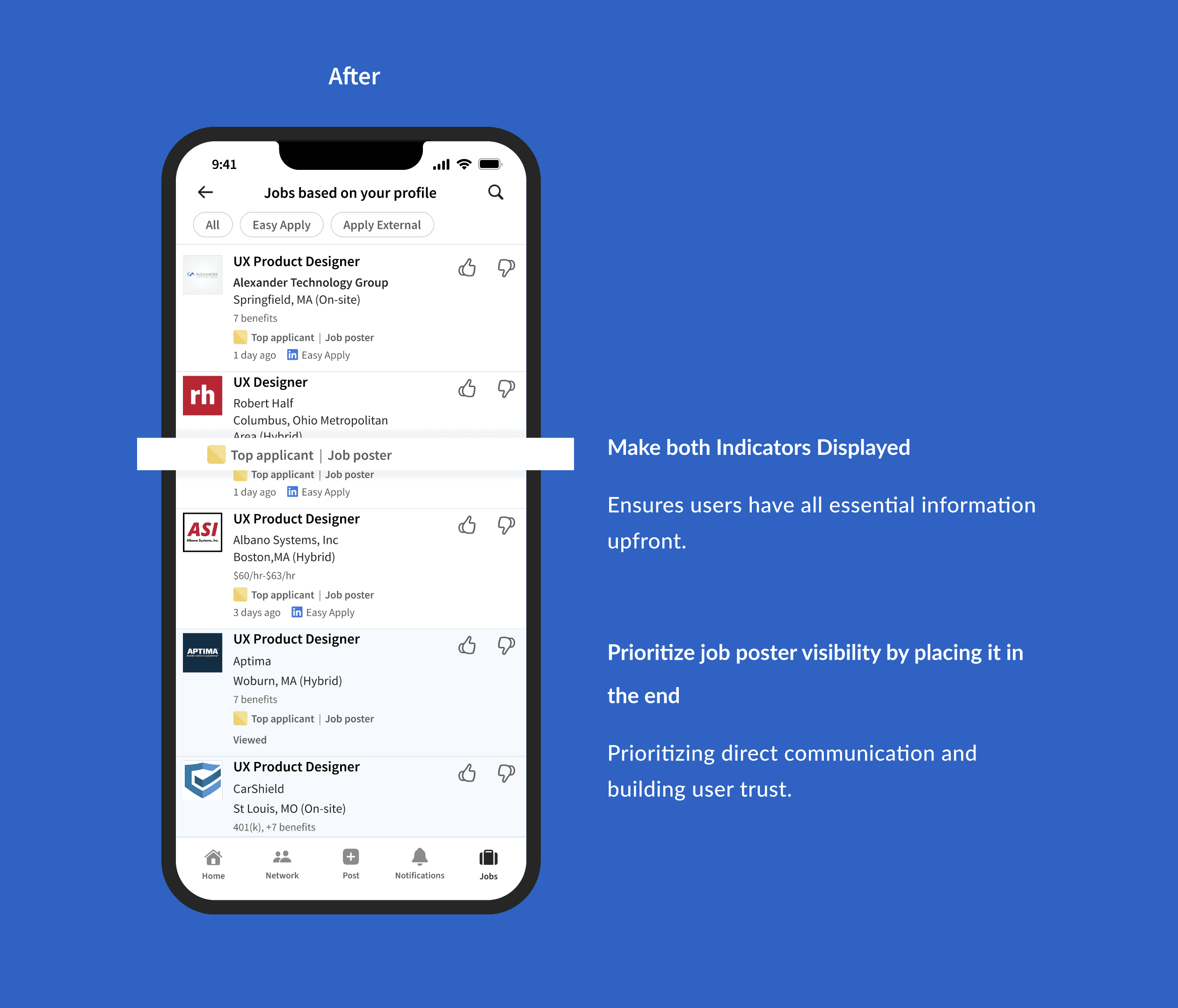
Insight #2 Users doubt the effectiveness of 'Easy Apply.' They want clear communication about their application
Prioritizing Direct Communication with Job Posters
Insight #3 Users need quick access to job details even when in the middle of the application process.
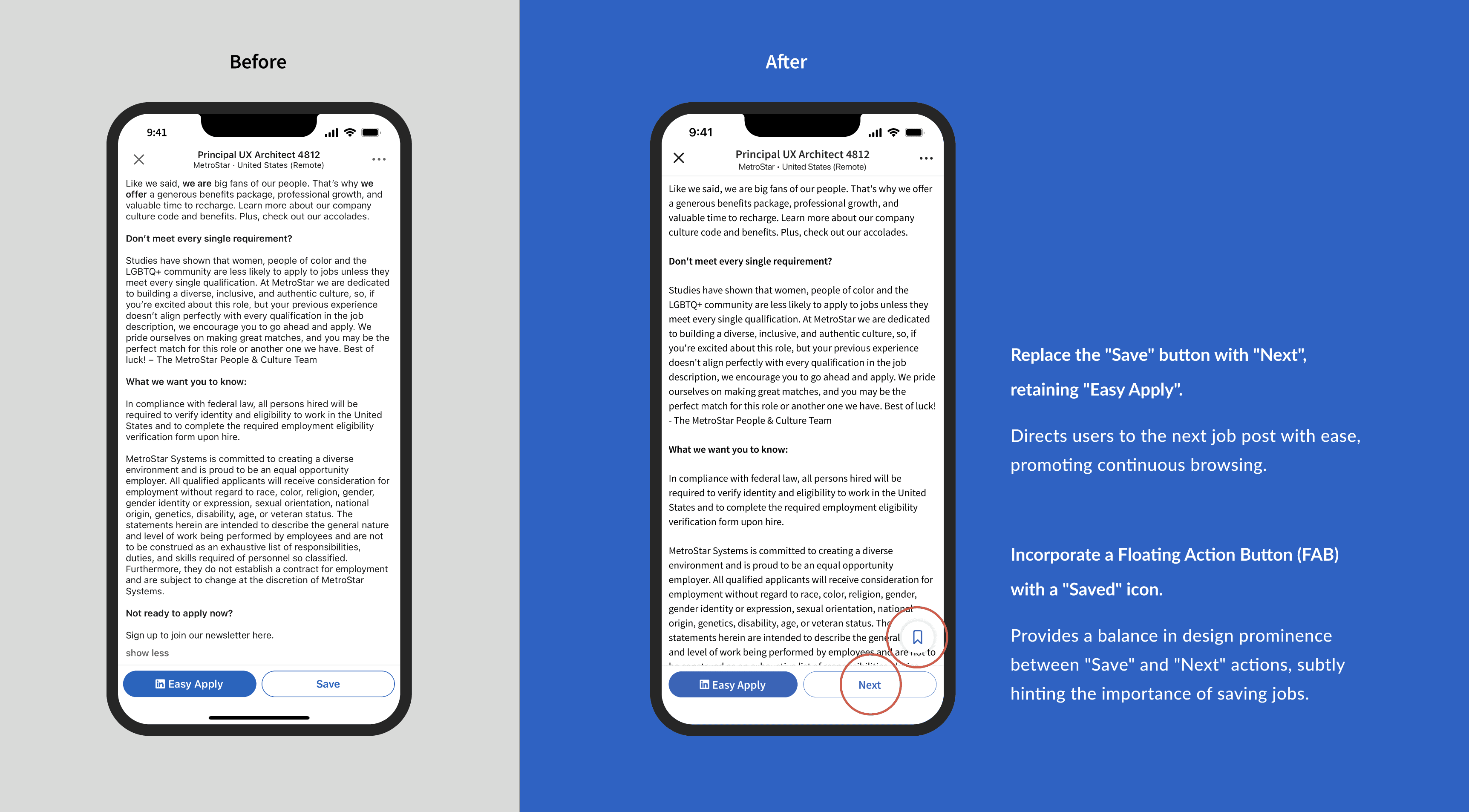
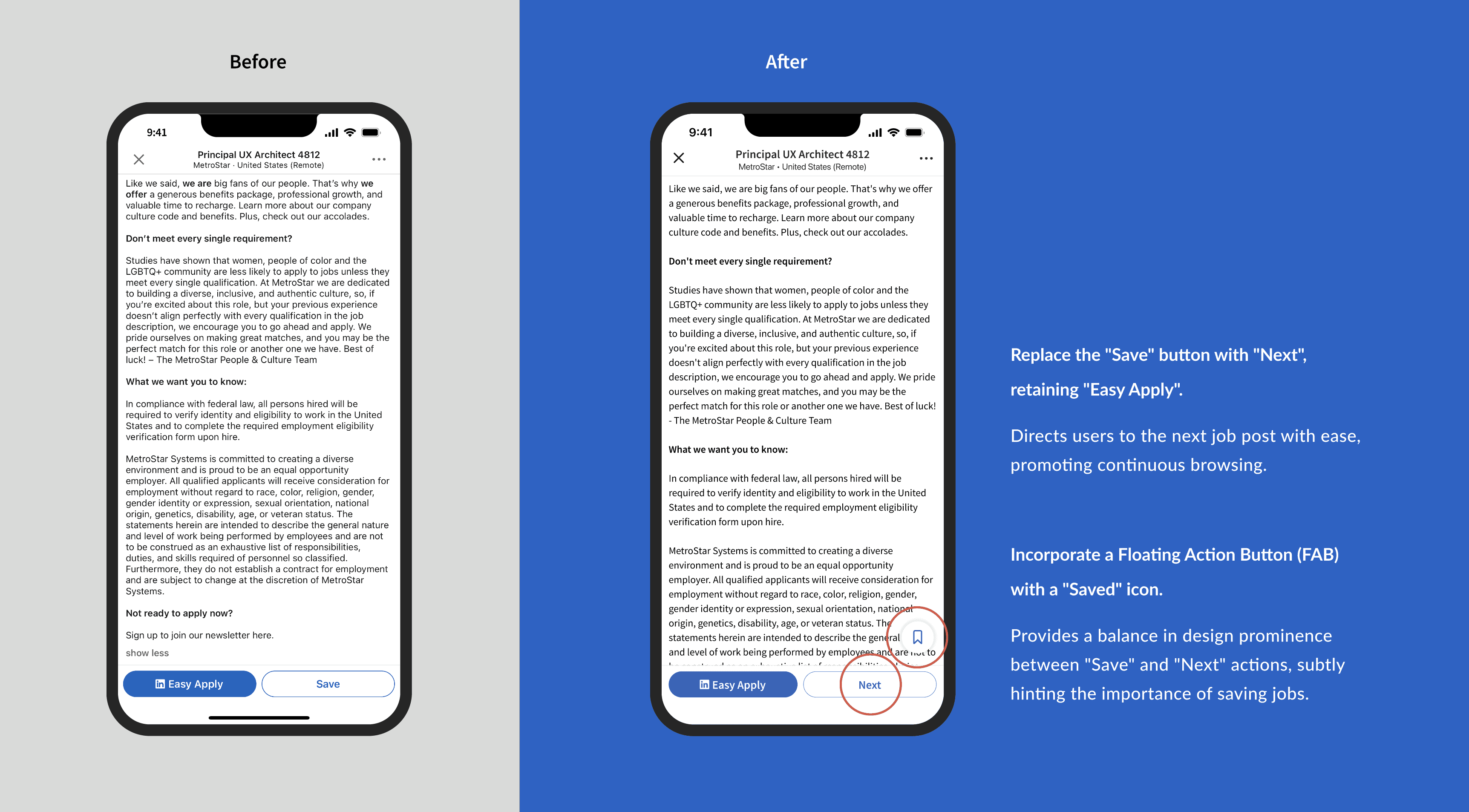
Insight #4 The 'Easy Apply' interface might benefit from clearer touch-target areas or prompts to reduce accidental interactions.
Make more job info available when applying; improve CTA hierarchy to bring intuitive experience.

MORE PROJECTS

© 2026 Su